Your site
A site that looks like a restaurant
Built around the menu and the order button. Send a photo of your menu board and Click reads it into prices.


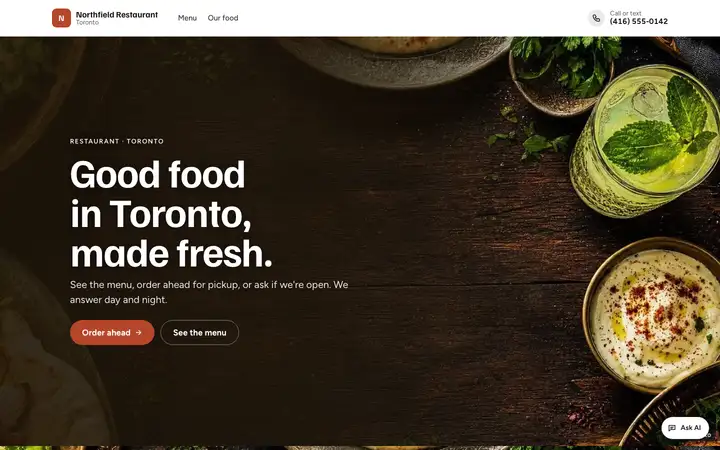
Restaurant looks on /start and a site Click builtChange anything by saying it
For restaurants and cafés
Restaurants · Cafés · Pizzerias · Caterers · Takeout
Phone orders taken as your restaurant, pickup orders from your own menu, and today's special or sold-out changed with one text.
Pro free for 14 days. No card.
You, by textSalmon's sold out tonight
ClickDone. It's sold out on your menu and in the chat.
Restaurant looks on /startThe food, who cooks
What you get
One sign-up gives you the site, the tools a kitchen needs, Click on your phone line and a desk that shows what needs you.
Your site
Built around the menu and the order button. Send a photo of your menu board and Click reads it into prices.
Restaurant looks on /start and a site Click builtChange anything by saying it
Set up for a restaurant
Pickup orders are on from day one. Card checkout and texts that go out on their own wait for your tap.
On from day one
Waits for your tap
Offered if it fits
Click asks one question: “Do you take reservations?”
Click on calls, texts and chat
 takes the call at the rush
On your line, by text and in your site's chat. It takes orders from your own menu, says what's sold out, and answers in your customer's language.
Customer, on your siteIs the patio open tonight?
ClickYes, until 10. Want to order ahead for pickup?
Your desk in the app
Today's orders, what's sold out, and anything a customer asked for a person about.
TodayFri
How your restaurant benefits
TodayIt rings while every hand is busy, and the order goes to the place down the street.
With ClickpadClick answers as your restaurant, takes the order from your menu and texts the customer the details.
TodayThe website says what you had last spring.
With ClickpadText “salmon's sold out” or “soup is squash today”. The menu and the chat change at once.
TodaySomeone retypes it into the website, eventually.
With ClickpadSend a photo of the menu board, a PDF or a screenshot. Click reads it into prices.You check it before it goes up.
TodayCustomers wait at the counter wondering if it's ready.
With ClickpadA ready text when you mark it done, and card payment at checkout.Card checkout and ready texts turn on with your tap.
A day with Click
on the line.An example day at a restaurant Click built. Times and names are illustrative; every step is something Clickpad does today.
Sites Click built
has built. Order from one.Open any of them, call their line, ask the chat a price. They run on the same Clickpad you'd get.
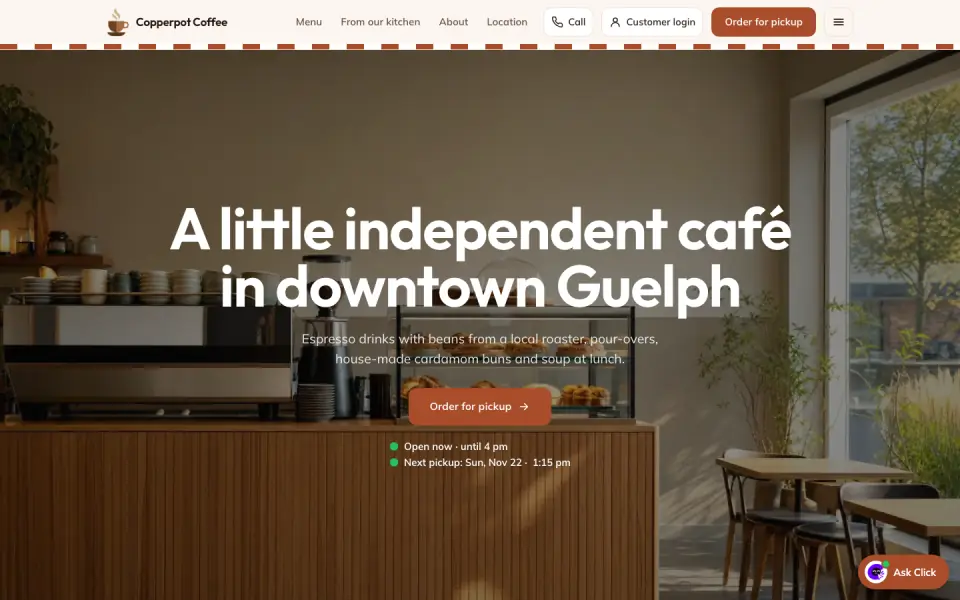
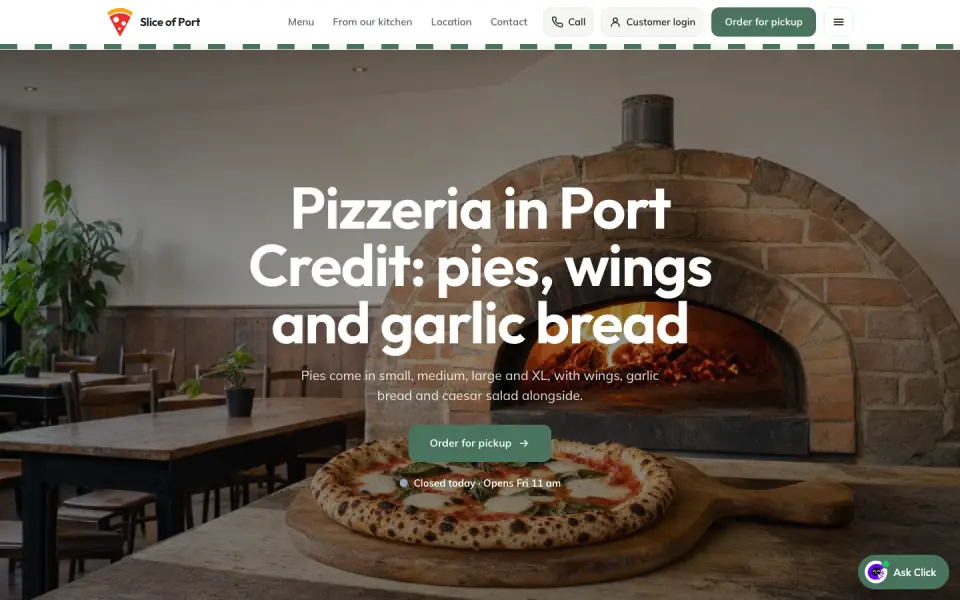
The menu with prices and photos, pickup orders, and its hours live on the page.
Open the siteToday's bakes and an order-ahead button for the morning line.
Open the sitePizzas by size with toppings priced, ordered for pickup.
Open the sitePrice
Essential
US$79 / month
Get online and let Click answer.
Pro 14 days free
US$149 / month
Everything in Essential, plus getting paid.
Custom site
US$399 once, from
A site designed and built for your restaurant, on Essential or Pro.
Questions
do without asking me?It answers calls, texts and your site's chat and takes orders from your own menu. Card checkout and any text that goes out on its own wait for your tap, and every change has an Undo.
US, Canadian and UK numbers. Customers can call the shared line with your code, or you add a number of your own for US$19 a month. Calls that ask for a person ring your cell.
Yes. They pick from your menu, choose a pickup time and pay when they collect it. The order is on your list.
Yes. Click reads a POS menu, your old website or a photo of your menu board into your prices, and you check it before it goes up.
No. Clickpad takes nothing from your sales. Card payments pay the card processor's own fee, as they do anywhere.
Pro is free for 14 days with no card. After that you pick Essential or Pro, or pause: your site stays up, and customer AI rests until you pay.
builds the site.Send your menu, pick a look, hear it take an order. Pro is free for 14 days, no card.
A Day at the Restaurant
Five moments in a normal day, and what Clickpad does in each one.
You text Click “Family platter is today's special.” It's on your site before you open.
A customer calls (844) 625-4256 and your code. Your restaurant answers, takes the order and texts the link.
The falafel wraps are gone. One text and the menu says sold out.
The chat on your site answers in your customer's language, with prices from your own menu.
After you close, your site shows the next pickup time and takes orders for it.