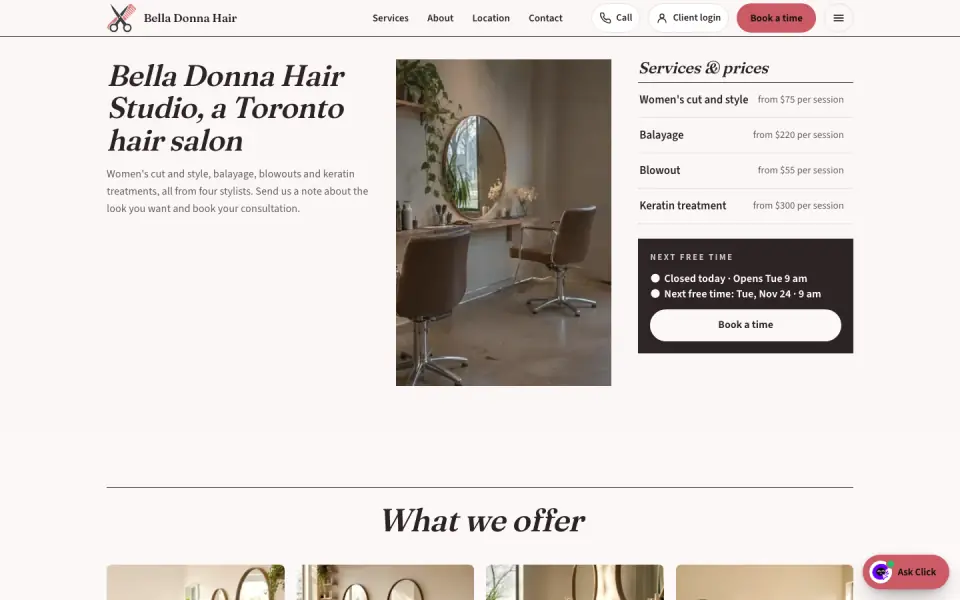
Your site
A site that looks like a salon
Every service with its price, booking against your next free time, and photos of the work. Change anything by pointing and saying it.


Salon looks on /startChange anything by saying it
For salons and barbers
Hair salons · Barbers · Nail salons · Lash studios · Day spas
Clients book your next free time on your site, move it from their link and get a reminder, while you keep working.
Pro free for 14 days. No card.
Click, as the salonYou're booked Thursday at 4:30. We'll text you a reminder.
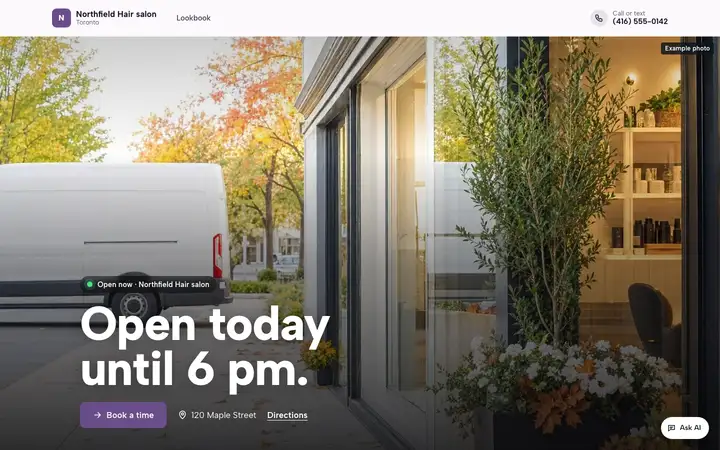
Salon looks on /startOpen today, the street, a consult, daylight
What you get
One sign-up gives you the site, the tools a chair needs, Click on your phone line and a desk that shows what needs you.
Your site
Every service with its price, booking against your next free time, and photos of the work. Change anything by pointing and saying it.
Salon looks on /startChange anything by saying it
Set up for a salon
Clickpad reads your business and turns on what fits. Nothing that charges or texts on its own starts without your tap.
On from day one
Waits for your tap
Offered if it fits
Click asks one question: “Is it just you, or a team?”
Click on calls, texts and chat

 answers as your salon
On your line, by text and in your site's chat. It books into your open times, moves a booking for a client who asks, and hands a caller to you when they want a person.
Client, on your siteCan I move Thursday to Friday?
ClickFriday at 4:30 is open. Moved, and I'll send the new reminder.
Your desk in the app
The app opens on today: who's in, deposits waiting, and clients who asked for a person.
TodayThu
How your salon benefits
TodayPhone tag between appointments, and a calendar kept by hand.
With ClickpadClients see your next free time on your site and book it themselves, any hour.
TodayYou text each client the day before, or you don't, and the chair sits empty.
With ClickpadA reminder goes out before every visit, and the client can move it from their link.Reminders turn on with your tap.
TodayAn empty chair and a client who doesn't answer.
With ClickpadA deposit holds the time, and the no-show fee, if you set one, is charged by your rule.Deposits and no-show fees wait for your tap.
TodayYou mean to ask, and the glow fades by the weekend.
With ClickpadClick asks the client for a review after the visit.Review asks go out on your tap.
A day with Click
on the line.An example day at a salon Click built. Times and names are illustrative; every step is something Clickpad does today.
Sites Click built
has built. Book one.Open any of them, call their line, ask the chat a price. They run on the same Clickpad you'd get.
Every service with its price, booking with your next free time, and photos of the work.
Open the siteChair times, walk-in hours and a booking link on every page.
Open the siteCuts, colour and styling priced by service, booked online.
Open the sitePrice
Essential
US$79 / month
Get online and let Click answer.
Pro 14 days free
US$149 / month
Everything in Essential, plus getting paid.
Custom site
US$399 once, from
A site designed and built for your salon, on Essential or Pro.
Questions
do without asking me?It answers calls, texts and your site's chat and books into your open times. Anything that charges a card or sends messages on its own waits for your tap, and every change has an Undo.
US, Canadian and UK numbers. Clients can call the shared line with your code, or you add a number of your own for US$19 a month. Calls that ask for a person ring your cell.
Yes. They see your next free time and book it, then move or cancel from their link. The chat on your site can move a booking for them too.
Your site can say walk-ins are welcome and show the next free time, so people know whether to book or just come in.
Yes. Set up plans and passes. Clients join, check in on each visit and can pause.
Pro is free for 14 days with no card. After that you pick Essential or Pro, or pause: your site stays up, and customer AI rests until you pay.
builds the site.Pick a salon or barber look, hear it answer your line, then decide. Pro is free for 14 days, no card.
A Day at the Chair
Five moments in a normal day, and what Clickpad does in each one.
Clients booked on your site last night, each picking a service and the next free time.
Today's clients get a reminder before their time, so fewer chairs sit empty.
A client asks the chat on your site to move to Saturday. It moves the booking and tells them.
A member checks in on their pass, and the visit counts on their plan.
The client pays by card. After the visit, Click asks every client for a review.